
Seeq Vantage is part of the Industrial Enterprise Monitoring Suite, available as a separately licensed application, for customers using Seeq R66+. If you are interested in learning more, please contact your Seeq Account Team.
Pre-requisites:
-
Seeq R66 and hosted on SaaS
-
Industrial Enterprise Monitoring Suite License
Installation
-
Acquire and install a license for Vantage. This will be done by the Seeq support team for customers on SaaS.
-
Enable the Condition Monitors feature (admin) via the Configuration menu.
Without Condition Monitors enabled, Vantage will not function properly. This feature flag also enabled the email notification before. Without this feature flag enabled, you will see a warning banner within Vantage that monitoring of new events is disabled:

Seeq Vantage uses a Seeq feature called ‘Condition Monitors’ to monitor conditions for new capsules. It is not enabled by default. To enable, open the Administration menu, and navigate to the Configuration tab. Locate the Features/Notifications/ConditionMonitors/Enabled configuration, and click Edit on its row to modify its value to true.

-
Enable Seeq Vantage in the same Administration page. Filter the “Name” column using the word “Vantage”. Ensure you are filtering to show “Advanced” feature as well.
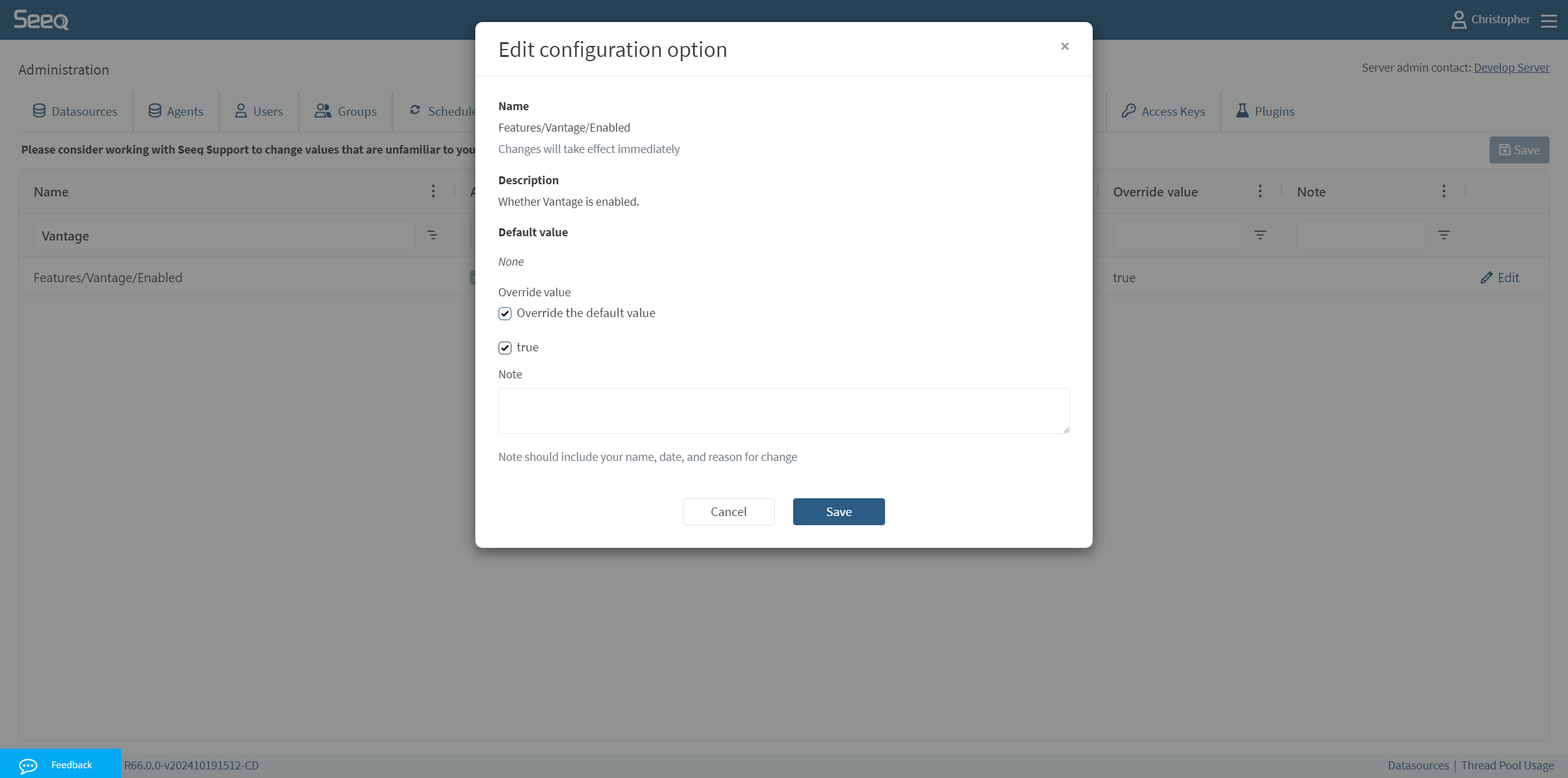
-
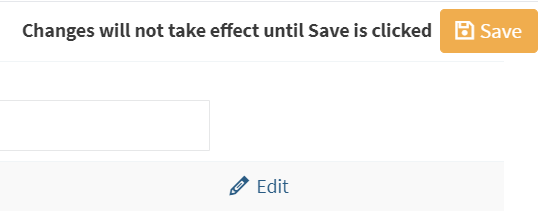
After modifying both settings, be sure to click
Saveto update and verify the feature is marked as Overridden.
-
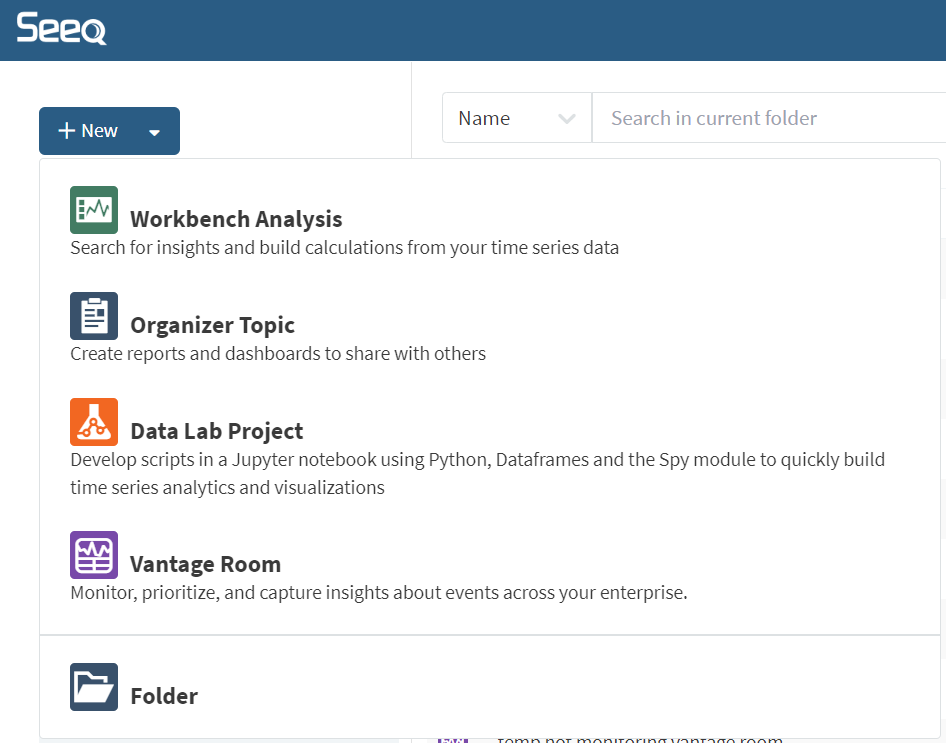
Once both of those Administration settings have been updated, return to the Seeq home screen and refresh the page. You should know see “Vantage Room” as a fourth application within the “New+” menu.
-
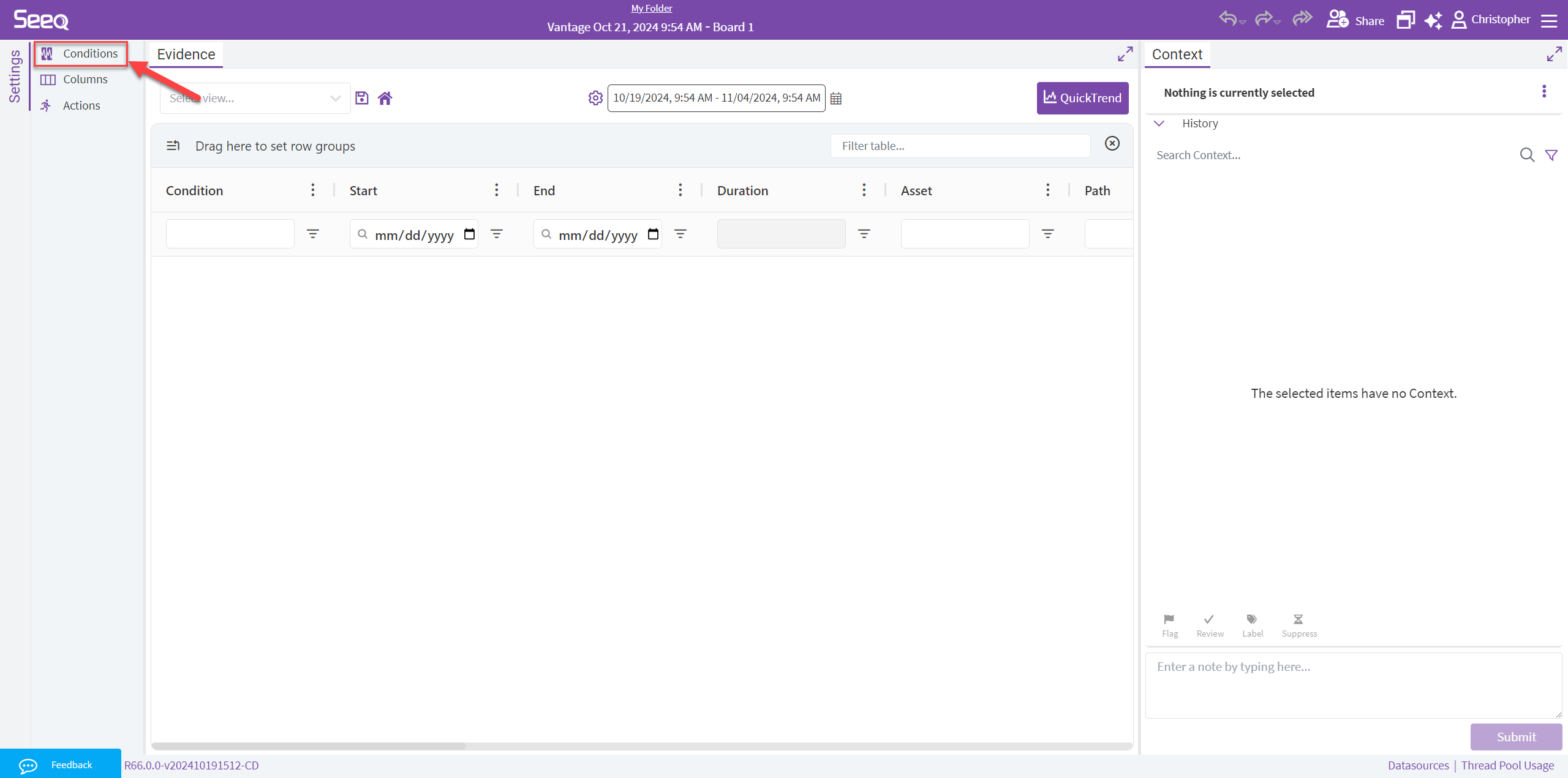
Creating a new Vantage Room will create it empty, similar to a brand new Organizer Topic. You can begin adding Condition Sources, which are user-defined searches for existing Conditions throughout the Seeq platform to begin monitoring exceptions from. Check out this article to learn more about configuring Condition Monitors.
FAQ