
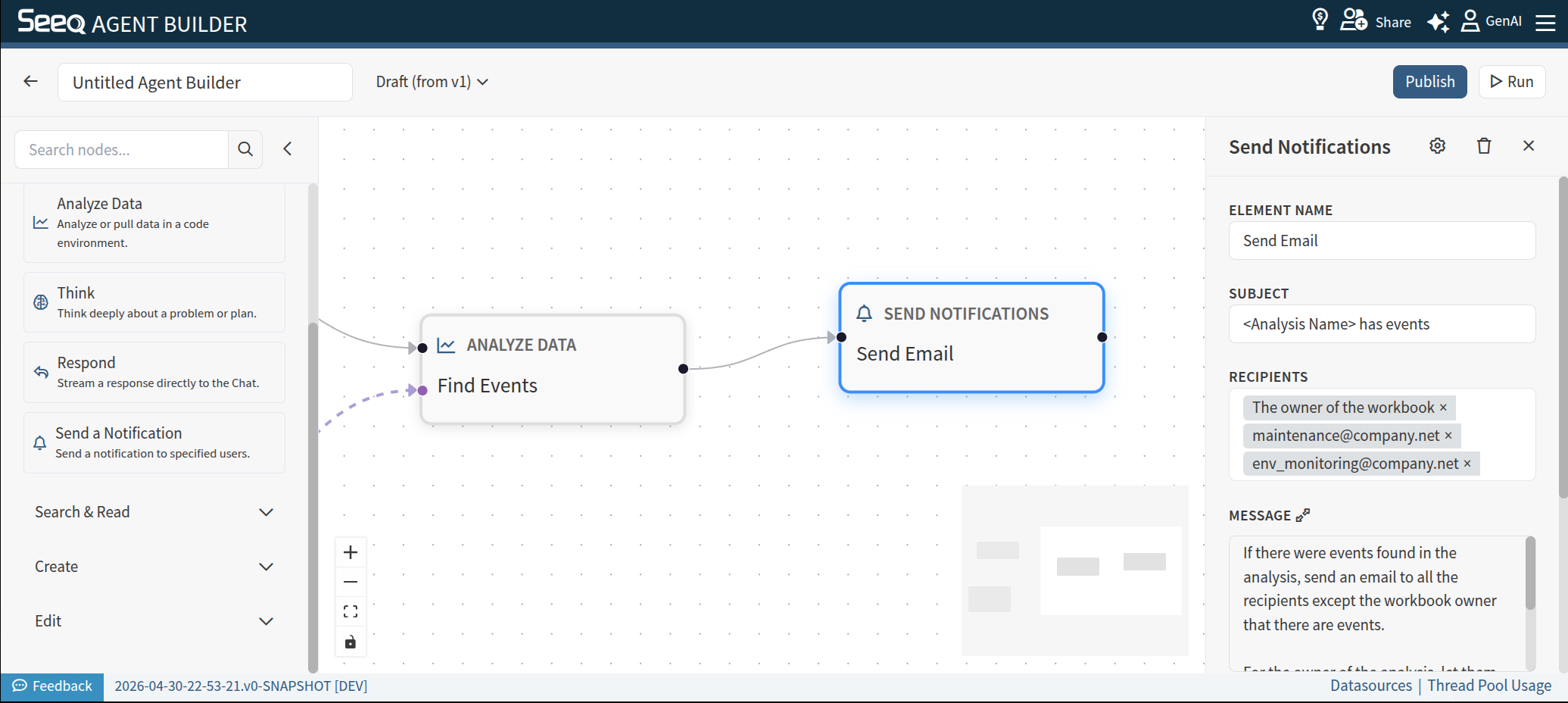
Use Send a Notification to send a notification to a collection of users. Note that this node is only available when email notifications are enabled on your system.
When to use
-
When you want to make users aware of the outcome or presence of an Agent run.
Configuration
-
Element Name: The title shown on the node in the diagram
-
Subject: The subject of the notification. This will be used as the “Subject” field of an email. You can provide a subject line, or describe it, eg, “<Asset with events> as events”
-
Recipients: A list of recipients for the notification. You can use emails (of users in Seeq or out of Seeq) or describe a recipient, eg, “The owner of the analysis”, or “The maintenance engineer identified for the in the Vantage room”
-
Message: A description of the notification body. Can be provided as a fixed format or described. Different notifications can be requested for different recipients. For example: “Send an email to the maintenance engineer with a link to the Vantage room, and let the owner of the Vantage room know about the event and provide them the email of the maintenance engineer you notified.”