
Chat-triggered workflows can be run inside the AI Assistant as a guided experience.
Start a workflow chat
You can start a workflow chat from:
-
Agent Builder dashboard: Click a chat-triggered workflow card.
-
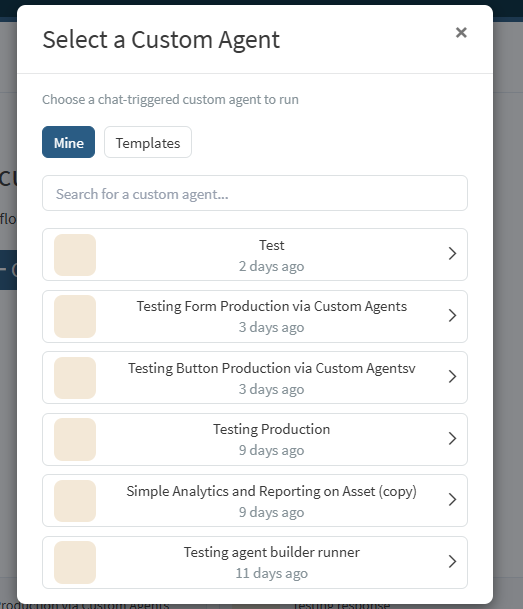
AI Assistant: Use the toolbar Workflows button to pick a workflow.
Only workflows whose Start node uses a chat trigger are available this way.
Dashboard start behavior by trigger type
When starting from the Agent Builder dashboard:
-
Chat message: opens the prompt modal, then runs when a message is submitted.
-
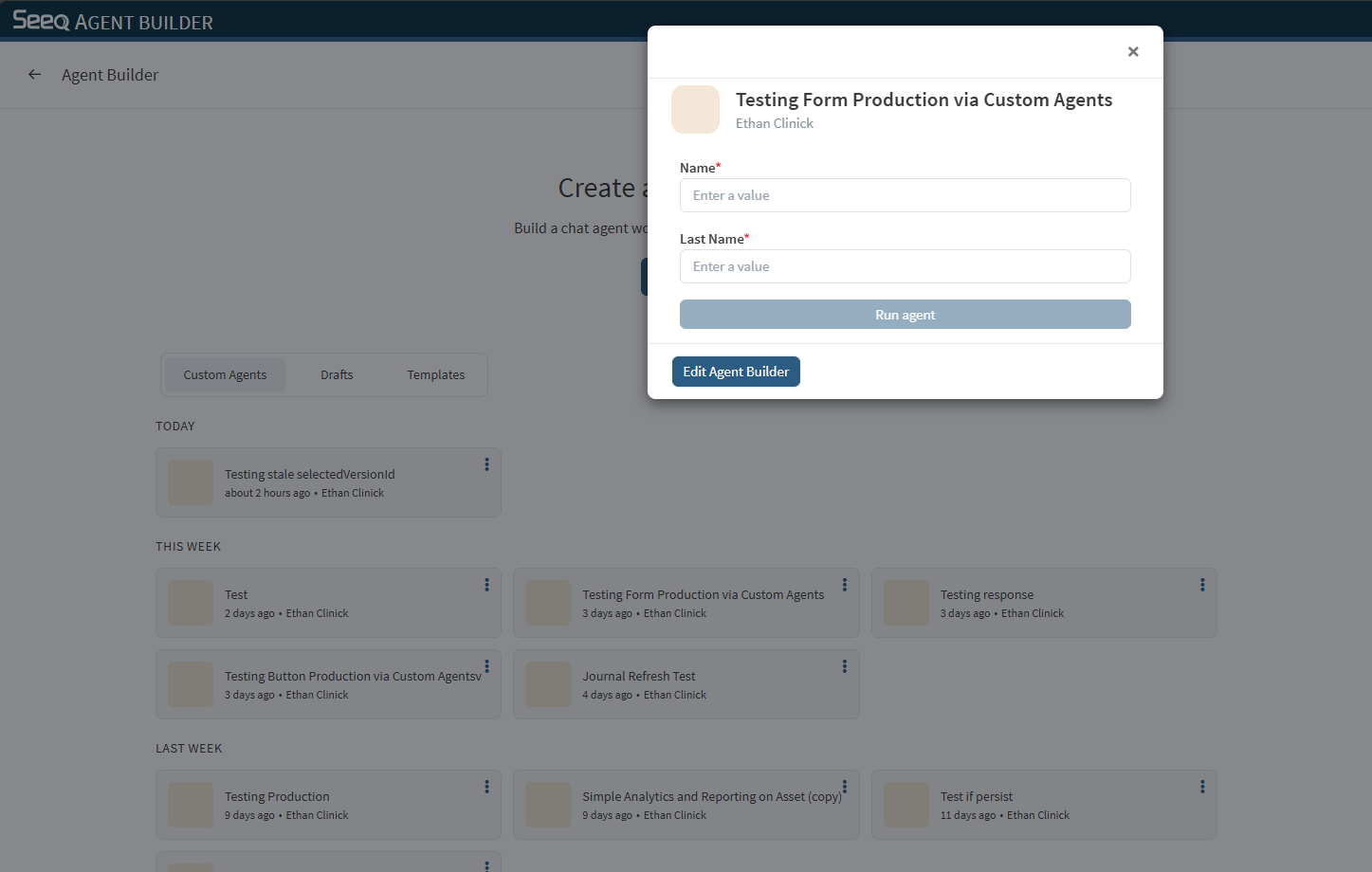
Input form: opens the prompt modal with inline form fields, then runs when submitted.
-
Button: opens the prompt modal with Run agent and Exit, then runs immediately on Run agent.
Workflow mode behavior
When a workflow is active in the AI Assistant:
-
The AI Assistant runs the selected workflow instead of a general chat agent.
-
The agent picker is hidden.
-
The workflow can use conversation and prior node outputs as context.
-
For input form and button intro states, the bottom prompt input is hidden until the intro action is completed.
Attachments
You can attach files supported by the AI Assistant (for example, images) when prompting a workflow. Nodes may use attachments as input when relevant.
Exiting workflow mode
Use Exit to leave workflow mode and return to a normal AI Assistant chat.