
Canadian Time Zone Change (Customer Guidance)
Summary
Effective November 1, 2026, Alberta, the Northwest Territories, and Manitoba are staying on permanent daylight saving time. This change affects how time zones behave in software that uses time zone rules.
Who this applies to
Customers whose configured time zones are aliases of affected regional time zones (for example, US/Mountain rather than a specific regional time zone) may need to review their settings to ensure they continue to behave as intended.
Examples:
-
An Alberta user configured with
US/Mountainshould update their setting to a specific regional time zone, such asAmerica/Edmonton, to ensure the correct time zone behavior. -
An Alberta user already configured with
America/Edmontonwill automatically receive the updated time zone behavior after upgrading.
Note: By default, workbooks and Vantage rooms inherit the user's configured time zone unless it has been manually overridden. Any manually configured time zones should be reviewed separately to ensure they still reflect the intended behavior.
Prerequisites
To support the transition to permanent time zones in Alberta, the Northwest Territories, and British Columbia on November 1, 2026, Seeq has updated support for the following time zones:
-
America/Vancouver: All current Seeq versions support British Columbia's permanent Pacific Time (UTC-7 year-round). Learn more about British Columbia Time. -
America/Edmonton: Seeq releases dated September 30, 2026 or later support Alberta Time (ABT), which remains at UTC-6 year-round. Learn more about Alberta Time. -
America/Yellowknife: Seeq releases dated September 30, 2026 or later support Northwest Territories Time (UTC-6 year-round). Learn more about Northwest Territories Time. -
America/Winnipeg: Seeq versions released October 16, 2026 and later support Manitoba Time, which remains at UTC-5 year-round. Learn more about Manitoba Time.
Customers should upgrade to a Seeq release dated September 30, 2026 or later before November 1, 2026 to ensure the updated time zone behavior is available.
Data Lab and SPy
For customers who regularly use Data Lab or SPy, we recommend upgrading to a Seeq release dated October 7, 2026 or later, which includes additional time zone updates for these tools.
Data Lab projects running this release or later will receive the updated time zone support automatically.
What users should do
-
Review your user time zone preferences and update them if needed.
-
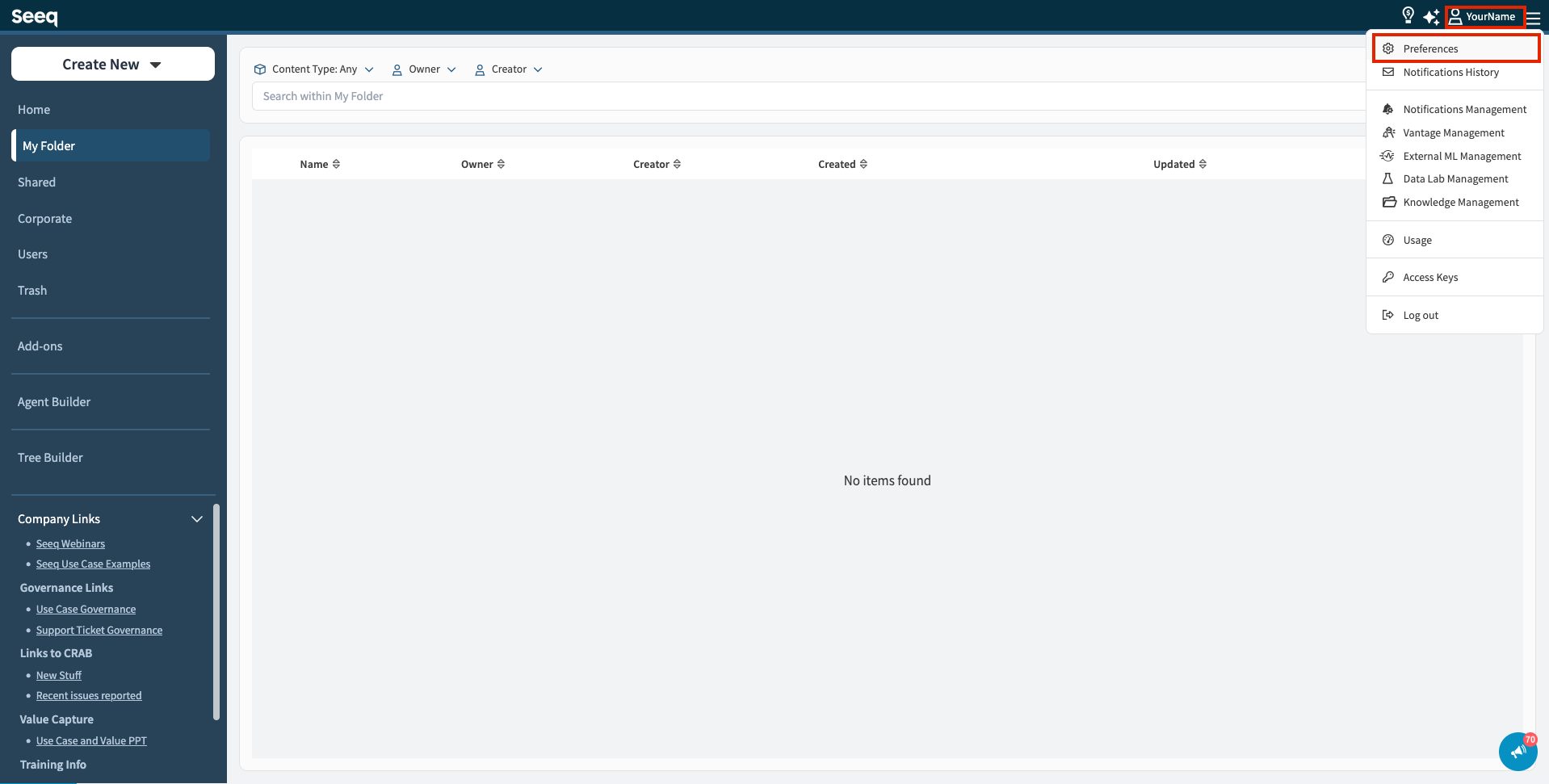
Click your name in the upper-right corner of any Seeq screen to open your user preferences. See the screenshot below.
-
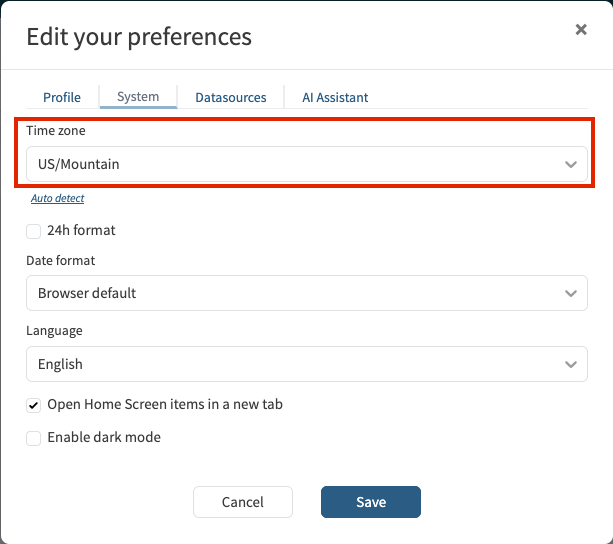
Once your user preferences are open, locate the time zone setting and select your desired time zone from the dropdown menu.
-
-
Review any manually configured time zones in workbooks or Vantage rooms and update them if needed.
-
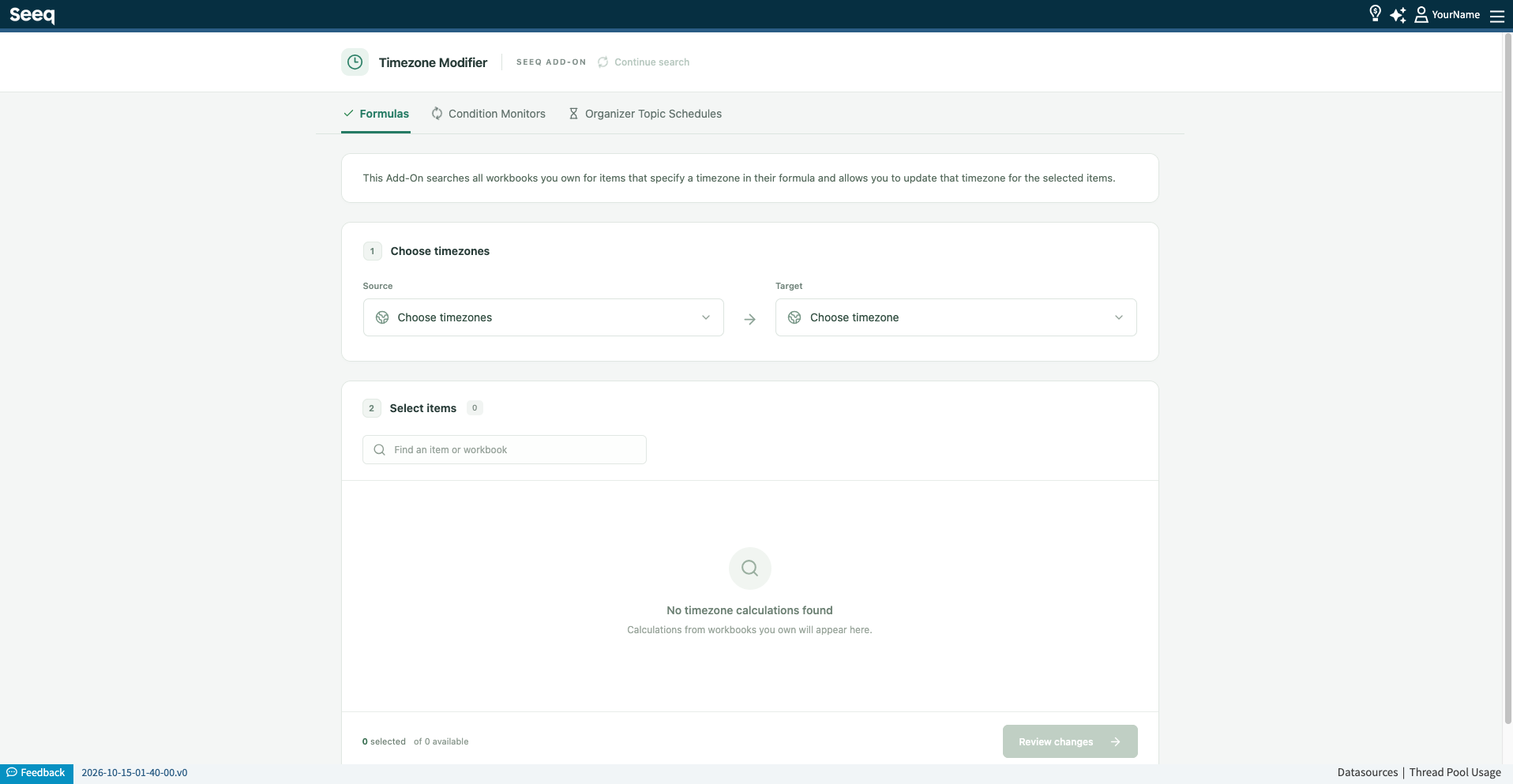
Review scheduled content and formulas that use explicit time zone settings. These may be affected by the time zone updates. To help identify potential issues, Seeq has developed an add-on called “Time Zone Modifier” that allows users to quickly locate formulas, monitored conditions, and Organizer topics where an incorrect time zone may have been used. A Seeq administrator can install the add-on through the Add-on Manager.
Important note on data sources
Seeq relies on customer data sources to provide accurate timestamps. Customer IT teams should ensure historians and data systems are updated for the new time zone rules.