
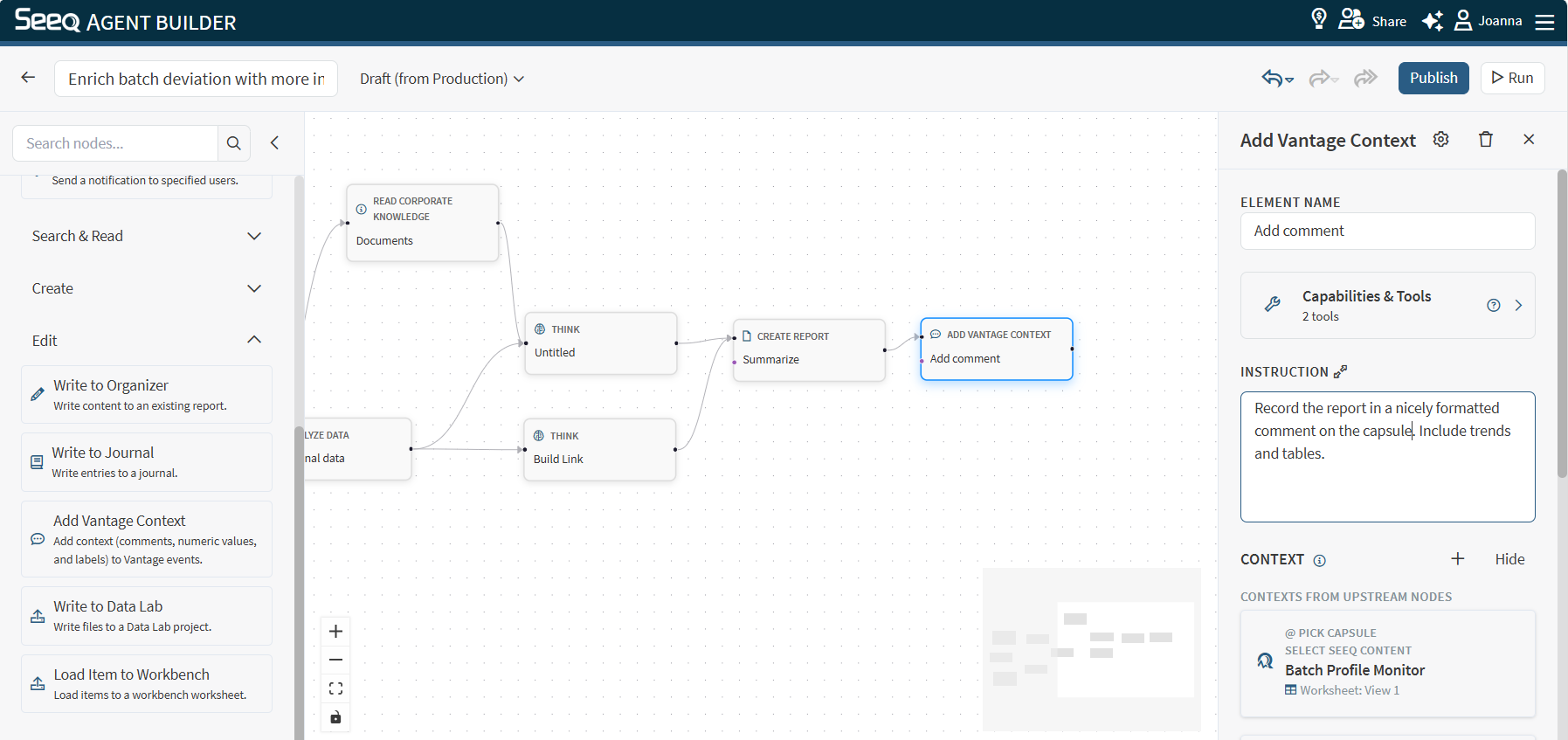
Use Add Vantage Context to add free-text comments or labels to Vantage events.
When to use
-
You have a set of Vantage events from upstream analysis and want to annotate them.
-
You want to capture a human-readable summary directly on the events.
Configuration
-
Instruction: Specify which events should get context and what type of context. Be explicit about selection criteria (time range, severity, event type, etc.).
Best practices for labels:
-
Provide Label name in the instructions if relevant to clearly identify the appropriate label to apply.
-
Pair with an Analyze or Think node that has instructions on how the label should be determined.
Best practices for comments:
-
Keep comments concise and relevant.
-
Pair with a report node that creates the comment. This can include visualizations like tables and charts that can be added to the event as a comment. The comment node is just applying
-
Provide relevant links
-
Comments can mention users. If there are multiple users with the same name, make sure to specify their email to ensure the Agent mentions the correct user.
Limits and cautions
-
Commenting is a side effect: it modifies Vantage event data.
-
Large event sets may need batching (start with “top 10” or a narrow time range).
-
Reason codes are not supported.
Example instructions
-
“Add the comment ‘Investigate root cause: inlet pressure spike’ to the 10 most recent surge events.”
-
“Record the report in a nicely formatted comment on the capsule. Include trends and tables.”
-
“Based on the prior node, set a Priority label on the event.”