
Knowledge Management requires a license for Seeq Intelligence and is currently in Early Access. Contact your account team for more information.
Overview
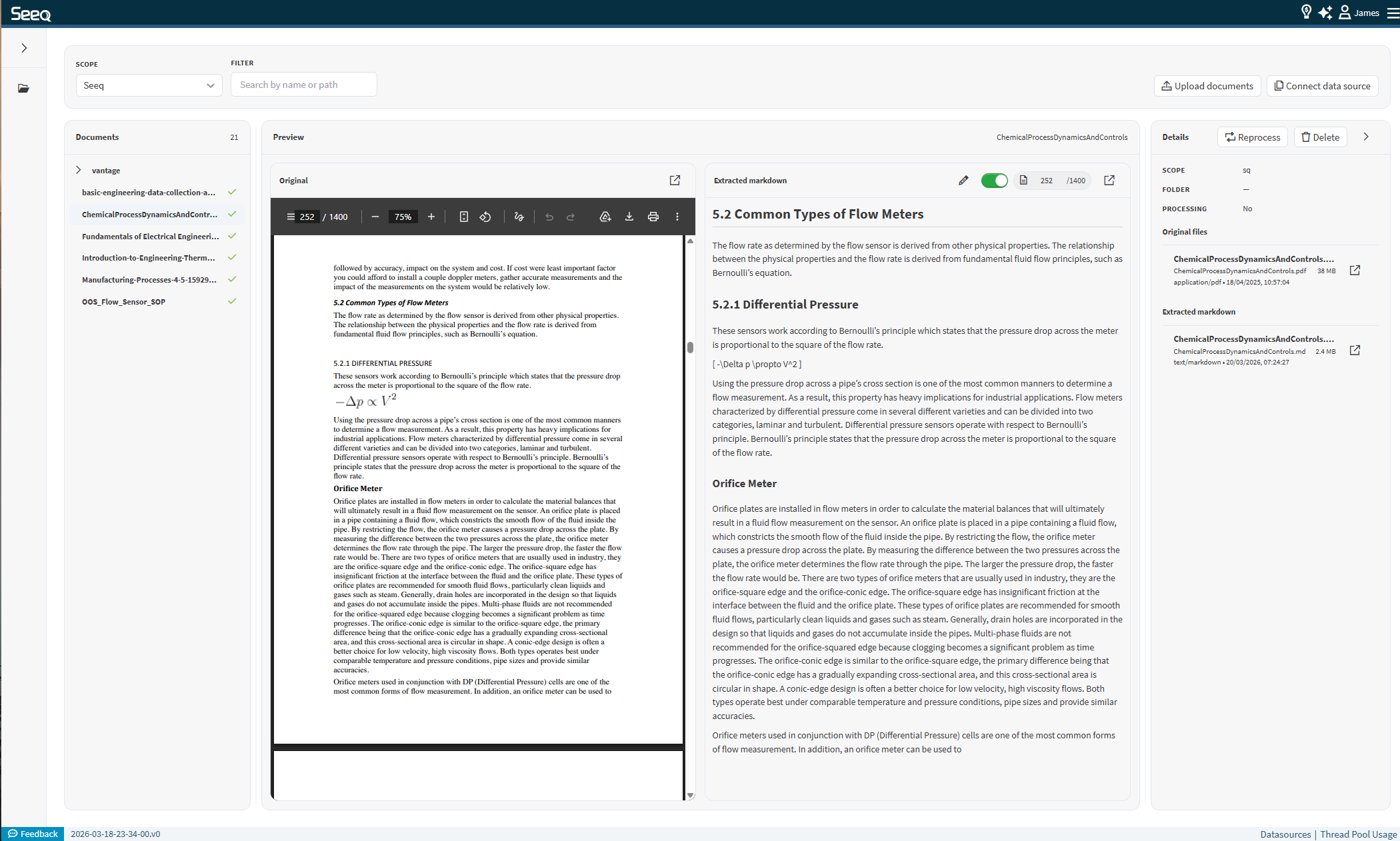
The Knowledge Management feature is a self-service UI that enables ingestion, management and visibility of the documents you want to give access to Seeq Intelligence Agent Q and Document Agent. Documents are processed, converted into structured markdown files, and stored in the Seeq Intelligence Vector Database for retrieval and reasoning. You can view the original file next to the extracted markdown which will be the text the agent can read. You can also manually edit any parts of the extracted markdown if needed, which will be updated in the database
Key Capabilities
The Document Agent provides a complete workflow for document-based knowledge management:
-
Upload documents (single or bulk)
-
Inspect which documents, what is inside of them are within the document store available to the agents
-
Remove documents, their extracted text and vectors
-
Visibility into the conversion of files types and processing into structured formats with the options to stop, start and re-process files
-
Inspect extracted content exactly as seen by Agent Q and Document Agent
-
Edit and correct extracted text
-
Workflow
Navigation
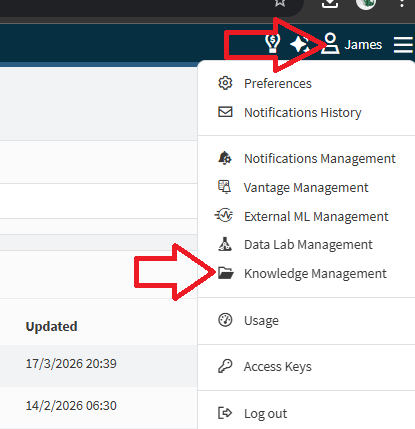
When this feature is enabled, all Users can access Knowledge Management by clicking their user icon in the top right and then selecting “Knowledge Management” in the drop down that appears.
Upload Documents
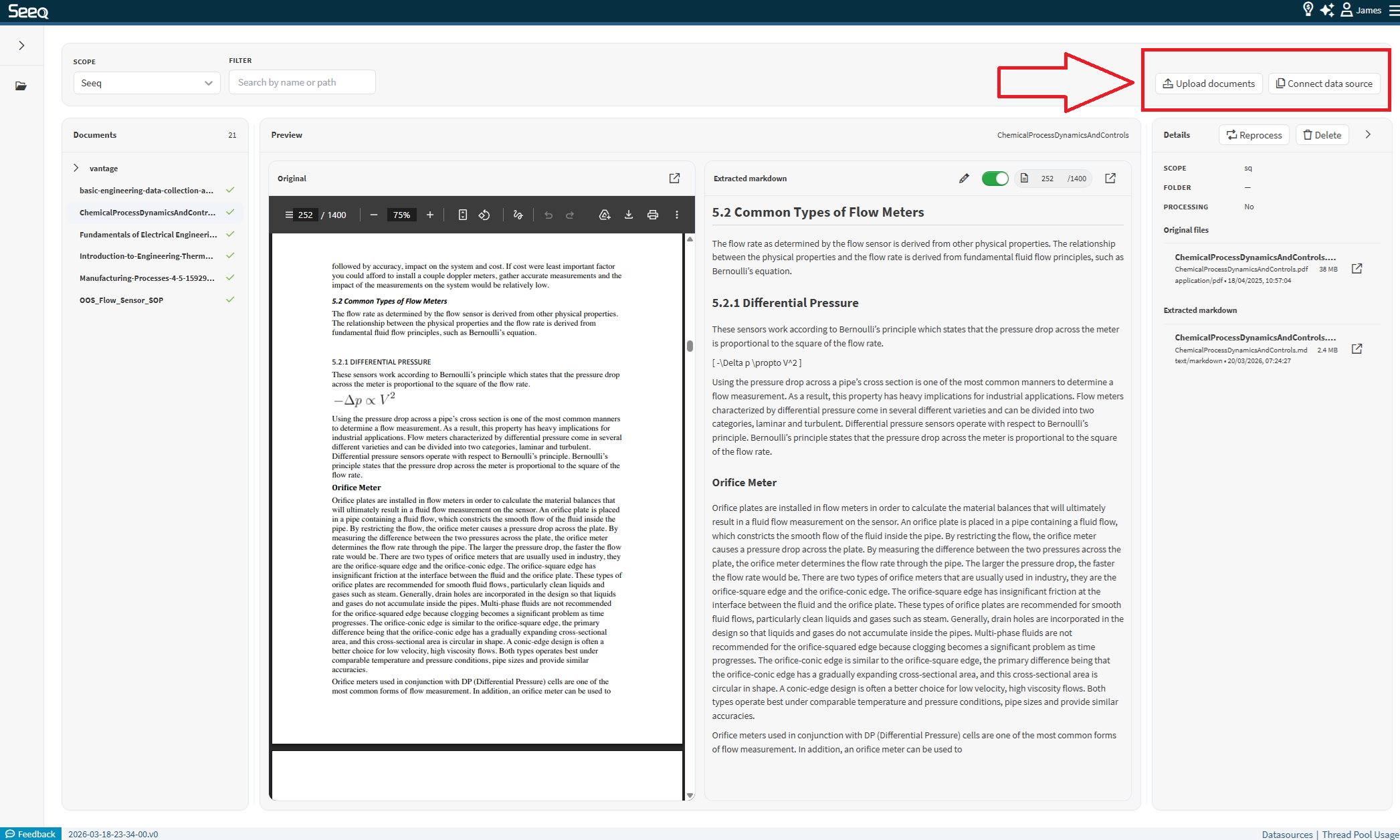
Users with the All Administration capability can upload documents in two ways:
Single Upload
Upload individual files directly through the UI.

Bulk Upload

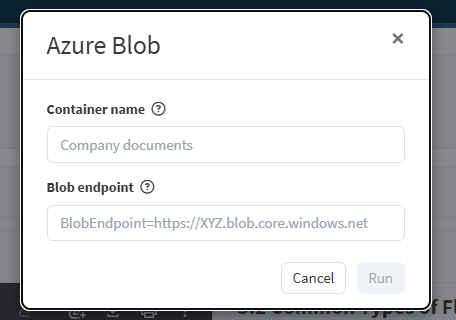
Upload multiple documents at once by connecting to an Azure Blob storage using the Connect data source button. This is designed for large-scale ingestion. You will need to provide the following to configure:
-
The name of the container in your Azure Blob storage account.
-
Your Azure Blob endpoint Shared access signature (SaS) URL.
Monitor Processing
After upload, documents move through processing states:
-
Uploaded – File received
-
Processing – Text extraction and conversion in progress
-
Completed – Ready for use by agents
The file system view provides visibility into each stage.
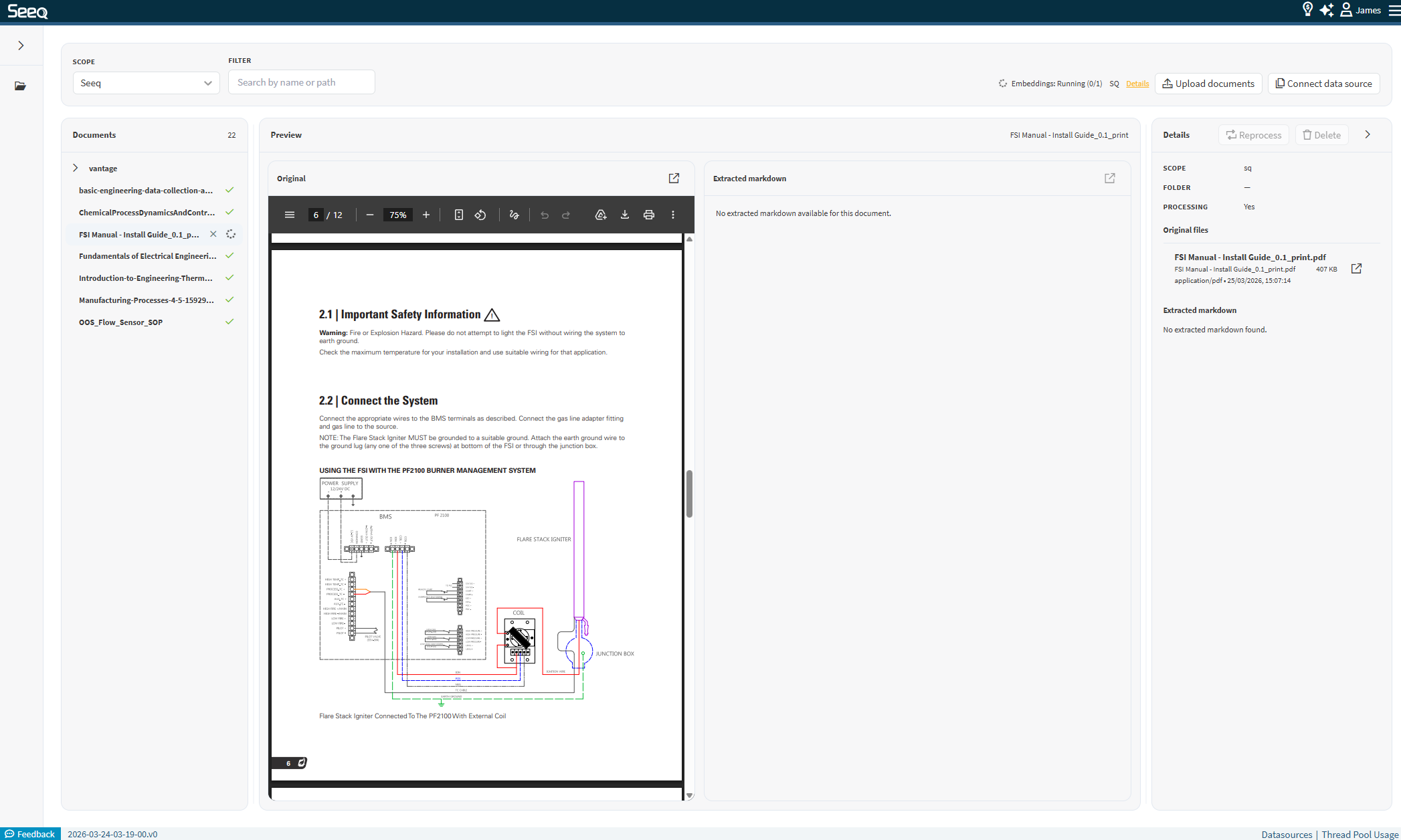

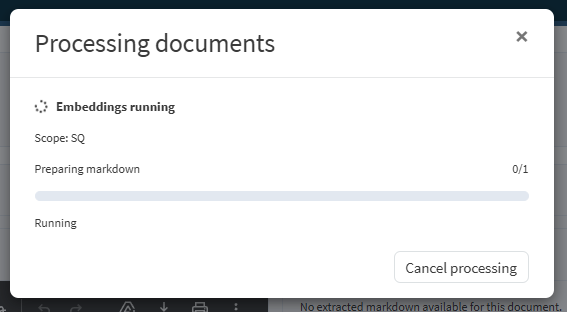
By clicking “details” you can view more information and cancel the processing if needed.
Inspect Document Content
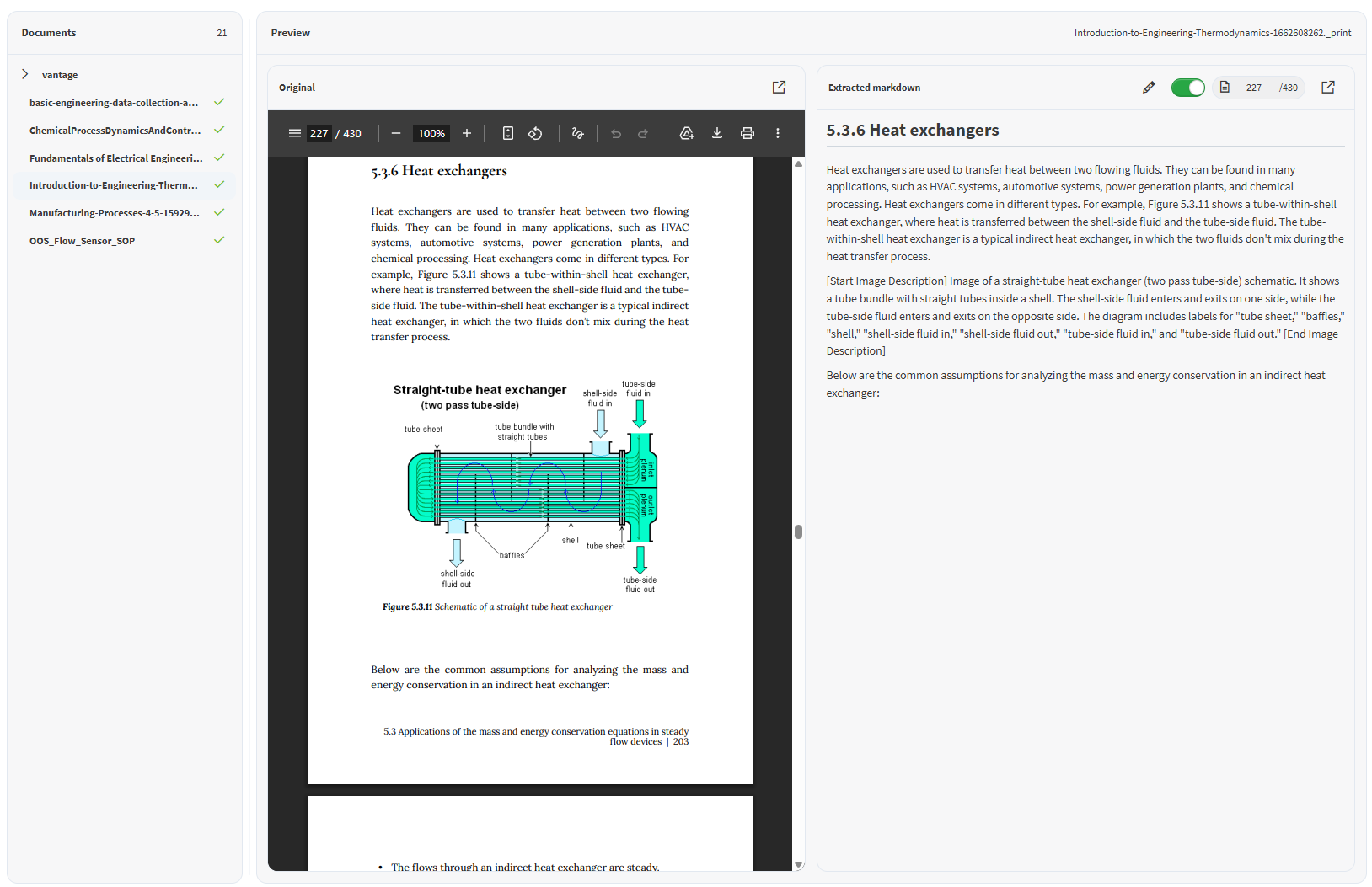
Users can open documents to view extracted content, ensuring transparency into how documents are interpreted.
Document Viewer
-
Displays converted document as PDF content
-
provides side by side validation of extracted text
Markdown Viewer
-
Shows the exact text used by Agents
-
Includes:
-
Table extraction
-
Image text (OCR)
-
Optionally Edit Extracted Text
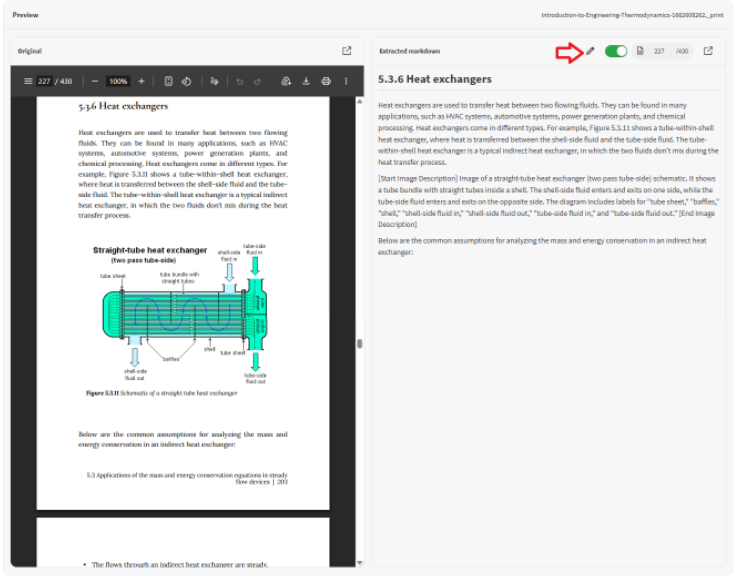
If content is incorrectly parsed:
-
Users can directly edit the extracted text
-
Changes can be saved and pushed back to VecDB
This improves downstream retrieval quality for Agents.
Benefits
-
Self-Service – No scripts or notebooks required
-
Transparency – Users can inspect exactly what the agent sees
-
Data Quality Control – Edit extracted content
-
Scalable Ingestion – Supports bulk uploads
-
Improved Retrieval – Higher quality inputs for Agent Q
Limitations
-
Access to delete, upload and process documents is currently limited to admin users
-
Access controls are not yet available
-
Manual edits are discarded if document is re-processesed