
Overview
OAuth 2.0 connections to Microsoft Entra ID are able to optionally retrieve additional User information via Microsoft Graph and populate Seeq User account properties with these details. This includes Role and Site properties which are derived from the Entra ID account’s Job Title and Office Location properties.
Prerequisites
Before you can enable User Information Synchronization, you will have to have an application registered in Microsoft Entra ID / Azure Active Directory. Follow the steps in App Registration if you need to create a new application registration.
To Enable Entra ID / Azure AD group synchronization
-
Your App Registration in Azure must be granted User.Read.All Microsoft Graph API permissions
-
Edit the configuration of the OAuth 2.0 Datasource in Administration > Datasources > Expand the Datasource Card > Click the Configure button.
-
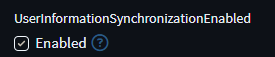
Locate the UserInformationSynchronizationEnabled option and check the box below it to enable it.
-
Click Update to close the Modify connection window.