
Write to Data Lab
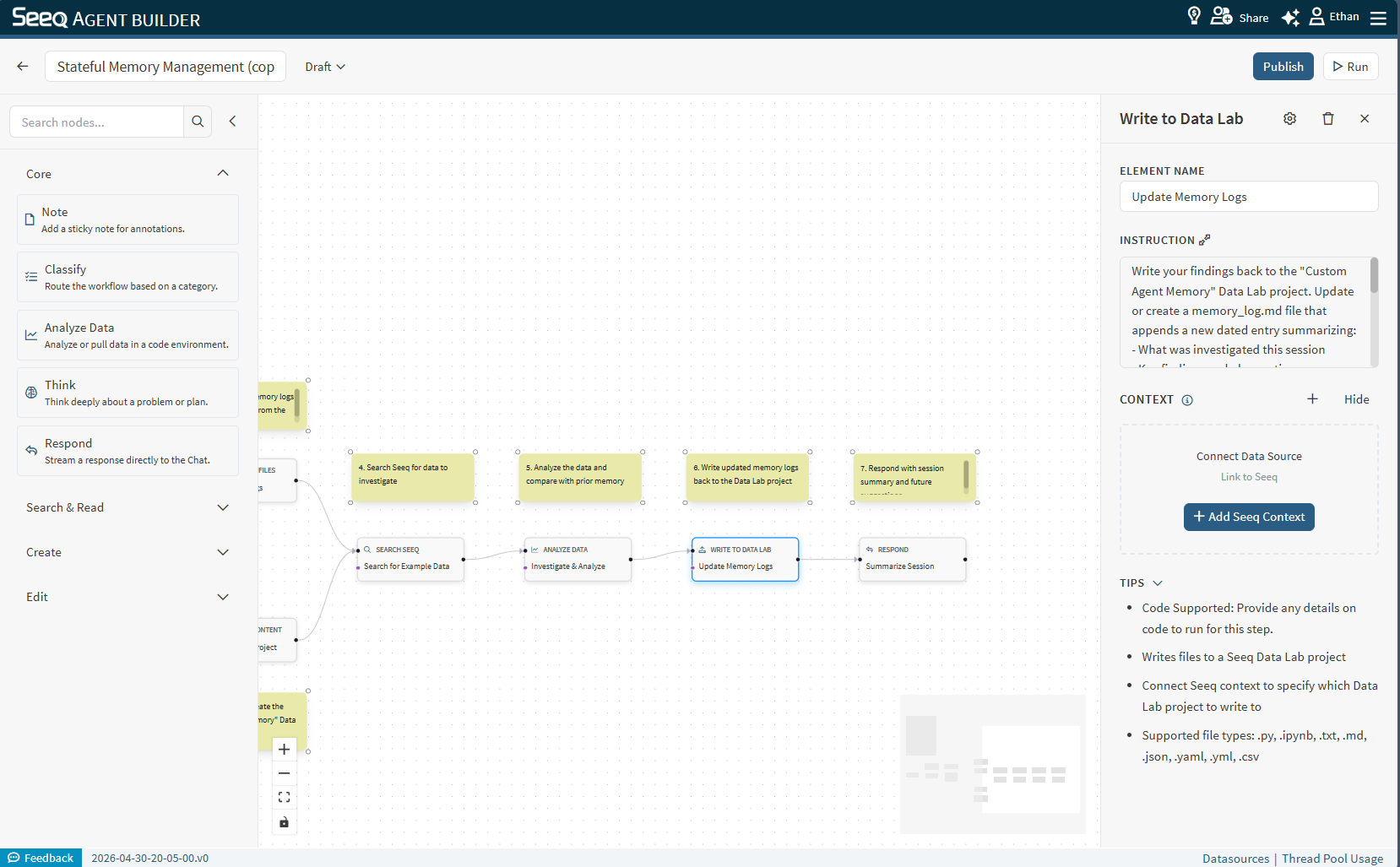
Use Write to Data Lab to create or update files in a Data Lab project directly from a Custom Agent workflow.
When to use
You want to save AI-generated scripts, notebooks, or analysis results back to a Data Lab project for reuse or further processing.
You want to create structured output files (e.g.,
.json,.csv) that downstream Data Lab notebooks can consume.You want to persist agent findings across sessions by writing to a known project location.
You want to generate a Python script or notebook based on upstream workflow analysis and store it in Data Lab.
Configuration
Instruction: Describe what file(s) to write, their destination paths within the project, and any content requirements. You can specify whether to create new files or overwrite existing ones.
Context behavior
This node supports context but does not require it. The project ID can come from a prior node's output (such as a Search Node or Create Content node) or be provided directly in the instruction. If no project context is linked, the node will rely on information passed through the workflow conversation.
Output
The output confirms which files were written and their paths within the project. You can open the Data Lab project and navigate to the written paths to verify the results.
Supported file types
.py, .ipynb, .txt, .md, .json, .yaml, .yml, .csv
Example instructions
"Write a Python script named analysis.py to the /scripts folder of the project that loads the top 10 signals from the workspace and plots them."
"Write the findings summary from the previous step into a file called findings.md in the root of the project."
"Create a /config directory and write a settings.yaml file with the parameters from the analysis."
"Update the memory.json file in the /logs folder with the latest session findings."