
Run Agent Node
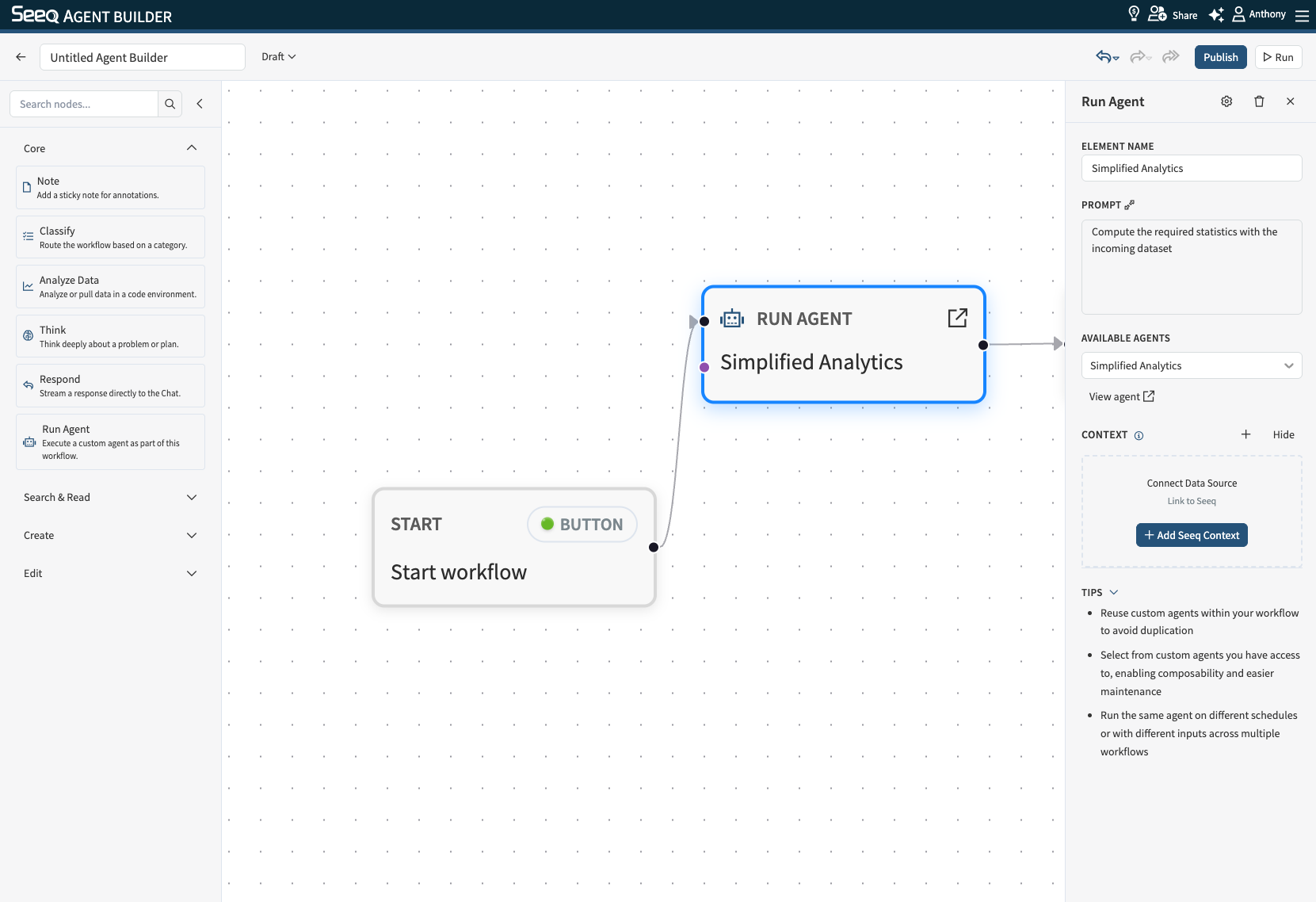
Use Run Agent Node to execute an existing custom agent as a step inside a workflow, rather than re-building that agent's logic inline.
When to use
You already have a custom agent that performs a task (e.g., a report writer, a data analyzer, a triage assistant) and want to reuse it inside a larger workflow instead of duplicating its configuration.
You want to compose workflows from smaller, independently maintained agents — update the agent once and every workflow that runs it picks up the change.
You want to run the same agent on different schedules, or with different inputs/context, across multiple workflows.
Configuration
Element Name: A label for this step as it appears on the canvas. Selecting an agent auto-fills this with the agent's name; you can override it.
Prompt: The main prompt/instruction passed to the selected agent for this run. Use it to tell the agent what to do in the context of this workflow step.
Available Agents: Select the custom agent to run from the dropdown. It lists the published custom agents you have access to. (The agent currently being edited is excluded to prevent a node from calling itself.)
View agent: Opens the selected agent's full configuration in a new tab so you can inspect or edit its definition.
Context behavior
This node supports Seeq context. Attach a workbook/worksheet or other Seeq content so the agent can scope its work to the right items, and it can also inherit context from upstream nodes. Memory behavior (how much output from earlier workflow steps is carried into this step) is configured via the node's settings (Manage memory).
Output
The output is whatever the selected agent produces for the given prompt and context. Downstream nodes can consume it as input for reporting, classification, or further action.