
Publishing and Versioning
Agent Builder supports drafts and version history so you can iterate safely.
Drafts (autosave)
Each time you open a custom agent to edit a workflow, Agent Builder will autosave your changes as a draft. Drafts are useful for iteration, but they represent work-in-progress.
Publish: create a version
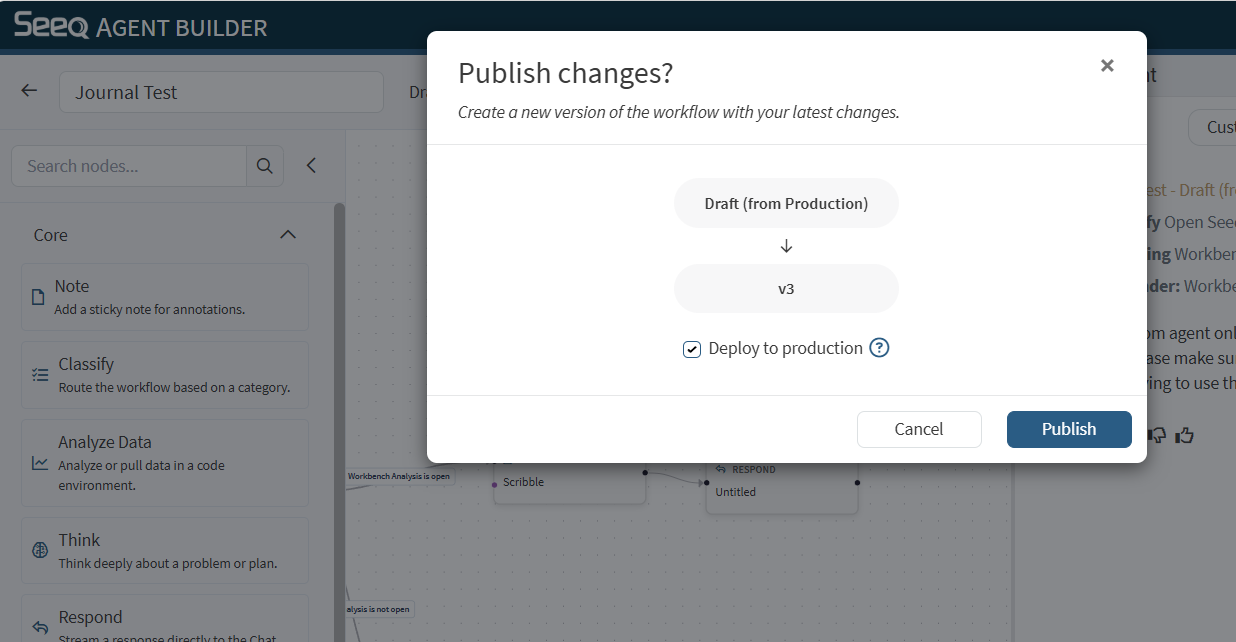
Publishing creates a new version (a snapshot) of the workflow.
Use Publish when you want to record a stable checkpoint you can revert to later.
When publishing, you can optionally select the check box to deploy to Production.
Production versions
Marking a version as Production is a way to designate the version you consider “live” or ready for broader use. Only Production versions are available in the AI Assistant Chat interface outside of Agent Builder.
Recommendation:
Only mark a version as Production when you’ve tested it and are comfortable with its behavior.
Version history and revert
In the editor header, use the version dropdown to:
View available versions (e.g.,
v3,v2,v1)See which version is marked Production
Revert the workflow back to a prior version
Note:
Reverting updates the workflow graph and clears draft state.