
Notification Node
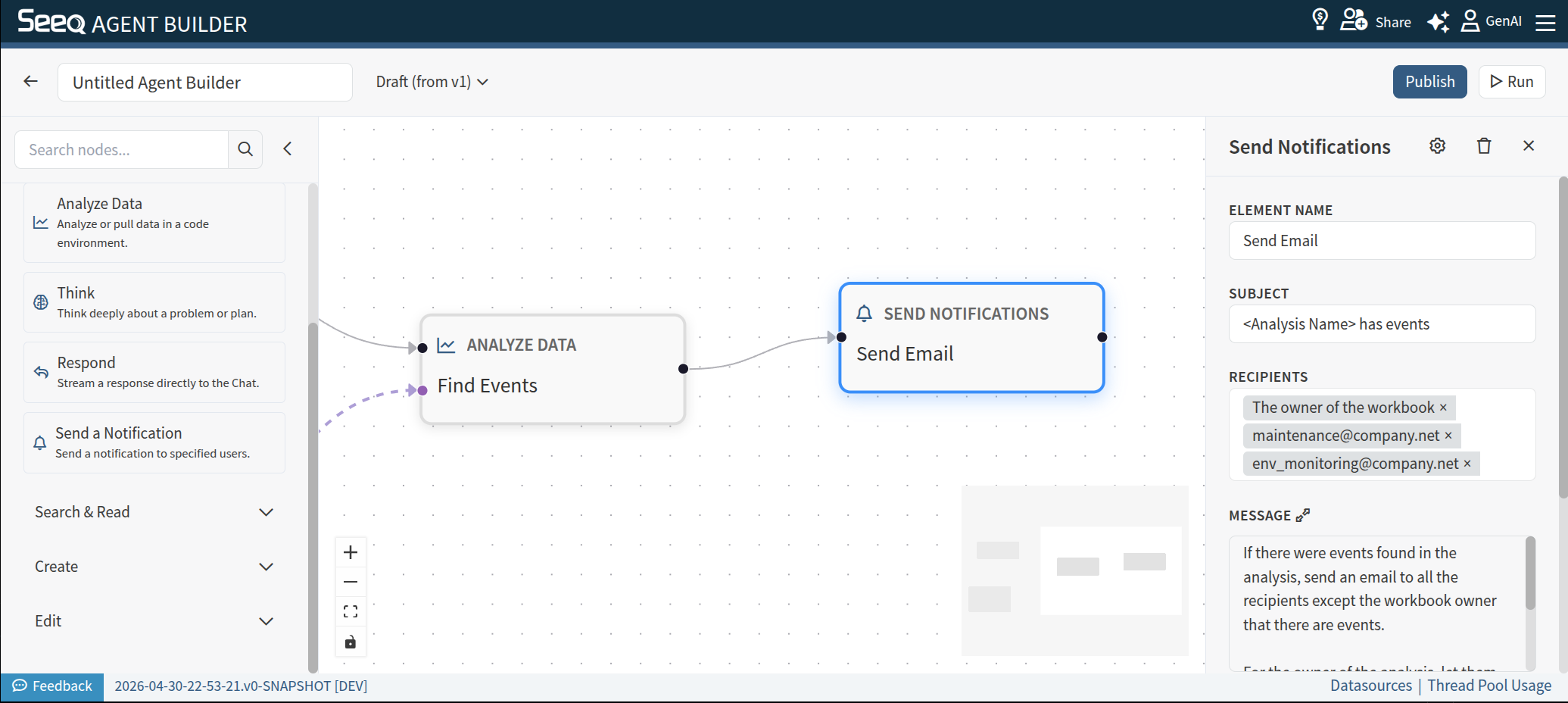
Use Send a Notification to send a notification to a collection of users. Note that this node is only available when email notifications are enabled on your system.
When to use
When you want to make users aware of the outcome or presence of an Agent run.
Configuration
Element Name: The title shown on the node in the diagram
Subject: The subject of the notification. This will be used as the “Subject” field of an email. You can provide a subject line, or describe it, eg, “<Asset with events> as events”
Recipients: A list of recipients for the notification. You can use emails (of users in Seeq or out of Seeq) or describe a recipient, eg, “The owner of the analysis”, or “The maintenance engineer identified for the in the Vantage room”
Message: A description of the notification body. Can be provided as a fixed format or described. Different notifications can be requested for different recipients. For example: “Send an email to the maintenance engineer with a link to the Vantage room, and let the owner of the Vantage room know about the event and provide them the email of the maintenance engineer you notified.”