Note Node
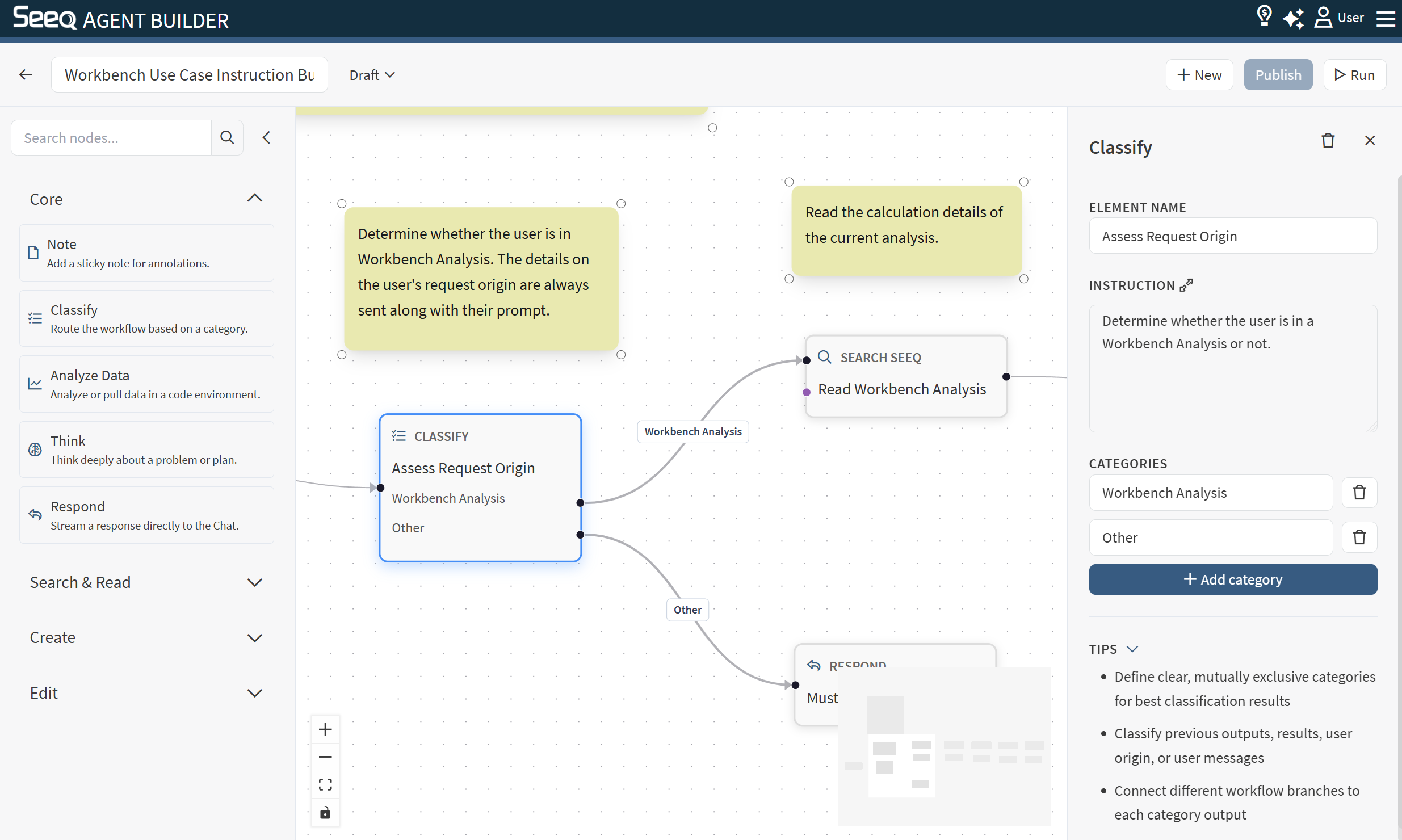
Use the Note node to add annotations to the canvas. Notes are helpful for documenting intent and guiding collaborators.
When to use
Label sections of a complex workflow (e.g., “Search phase”, “Analysis phase”, “Reporting phase”).
Record assumptions or design decisions directly on the canvas.
Add usage instructions for anyone editing the workflow later.
Execution note
Notes are UI-only and are not executed as part of the workflow run.