
Using Context
Creating Context
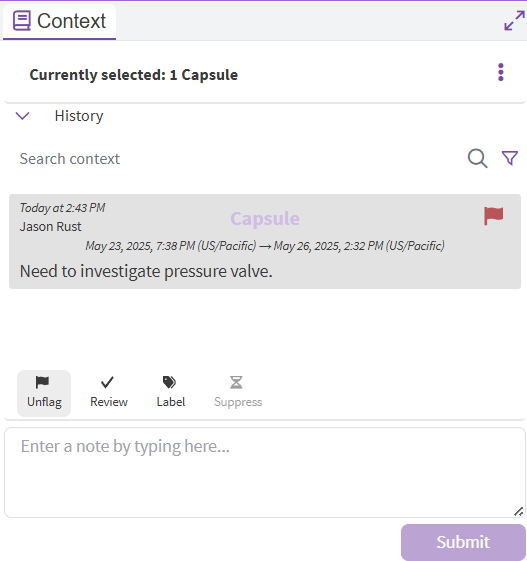
Context is additional data that can be added to capsules to help classify and organize them. Common examples of context that might be added include comments on the event, marking it as “Reviewed” or “Flagged,” and adding downtime reason codes. In Vantage context is added by clicking on a capsule and using the Context pane.
Context in Workbench
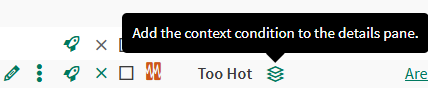
When context is added to a capsule a new Condition is created behind the scenes to store the context (the reason for the new condition is because the original condition is usually built with a formula). The Context Condition is linked to the original condition and has capsules with same start and end times as the source capsule. If the Source Condition is in the details pane on a Worksheet then the context icon will show up next to the name. Clicking on the icon will add the Context Condition to the details pane. From there it can be used as a normal condition.
Context Hooks
When context is added, modified, or deleted, that context will be automatically dispatched to a datalab functions webhook url if one has been configured (by an admin) in the Seeq Configuration. To configure/enable a relative datalab functions webhook url should be specified for Features/Notifications/Context/GlobalWebhookUrl in the configuration. The format is relative to the seeq server, i.e.
/data-lab/{projectId}/functions/notebooks/{notebookName}/endpoints/{endpontName}
Once enabled, context operations will be dispatched to the provided datalab functions endpoint and will be available via a REQUEST variable in the datalab function notebook cell. To learn more about datalab functions configuration, click here.

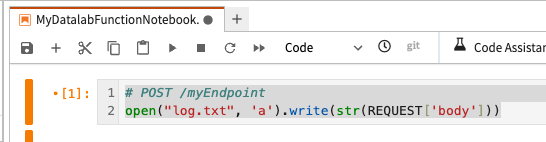
Setting up a datalab function endpoint to log context to a file and adjusting the global configuration to enable the context hook